ADGT 2026 Setup and Install Guide
How to setup your game to run in the 2026 ADGT Championship
1 - Content Manager & Steam
I’ll assume you’ve already purchased (preferably when it is on sale) and downloaded Assetto Corsa Ultimate Edition and run the game at least once. After doing this, download the following:
Unzip it, and place Content Manager.exe in your assetto corsa directory (normally “C://Program Files x86/steam/steamapps/common/assettocorsa”) and run it. You will want to make sure all the addons are installed like 7zip as they make life a lot easier in the future.
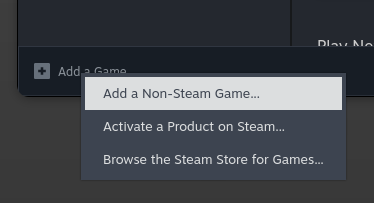
After running it, add it as a non steam game so it’s easy to launch. You’ll be using it from now on instead of the default Assetto Corsa Launcher in steam.
2 - Custom Shader Patch Preview
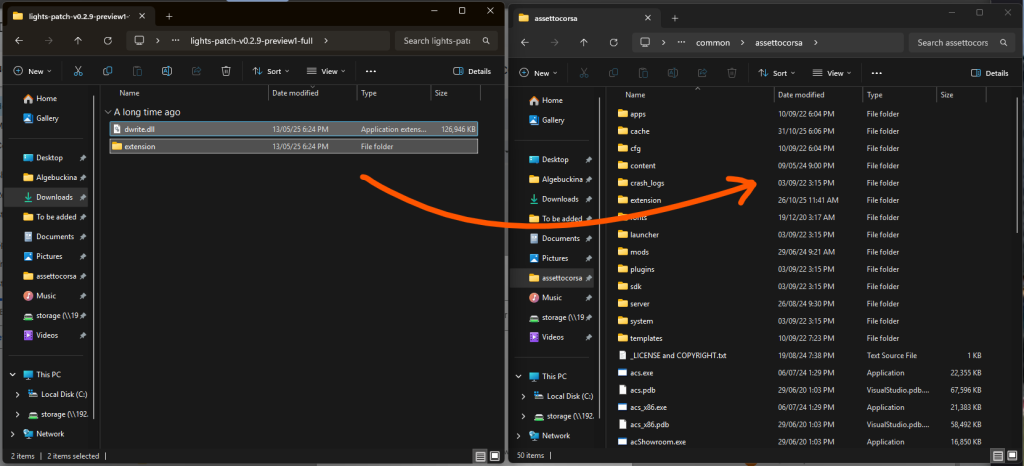
To enable night racing and changeable weather, you need to install Custom Shader Patch (CSP for short) v0.2.9 preview. Download it from the link:
Unzip it, and drop and drag the contents into your assettocorsa folder as well.
3 - SOL
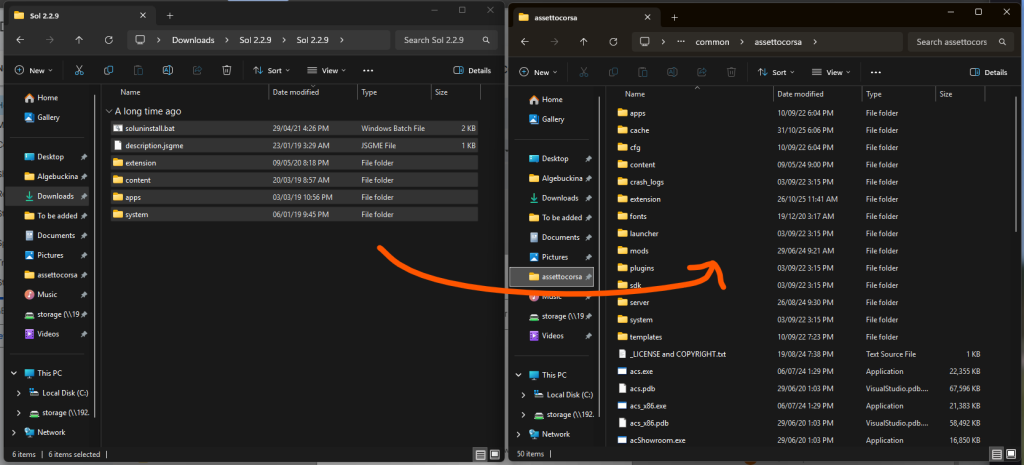
SOL is a graphics and weather mod for Assetto Corsa, and we use it for wet weather races as well as other tweaks. It can be downloaded here:
We will get to enabling it later, but drop and drag the zip contents into your assettocorsa folder.
4 - Settings
Now we have everything installed, we will need to change a bunch of settings to make sure everything is working, improve game performance and tweak some other settings.
4.1 - Enabling SOL
To enable SOL, in content manager, go to content –> miscellaneous –> Python Apps. Enable all the SOL apps.
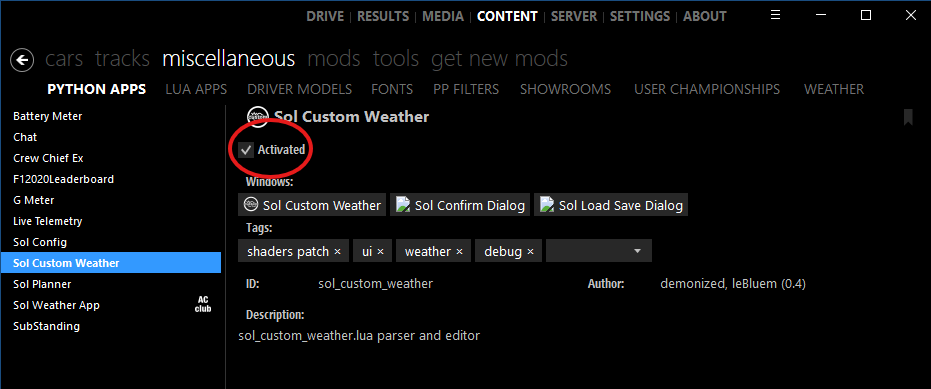
After enabling the apps, you will need to enable Post Processing. Navigate to settings –> Assetto Corsa –> Video. Make sure post processing effects are turned on, and set your filter to __Sol
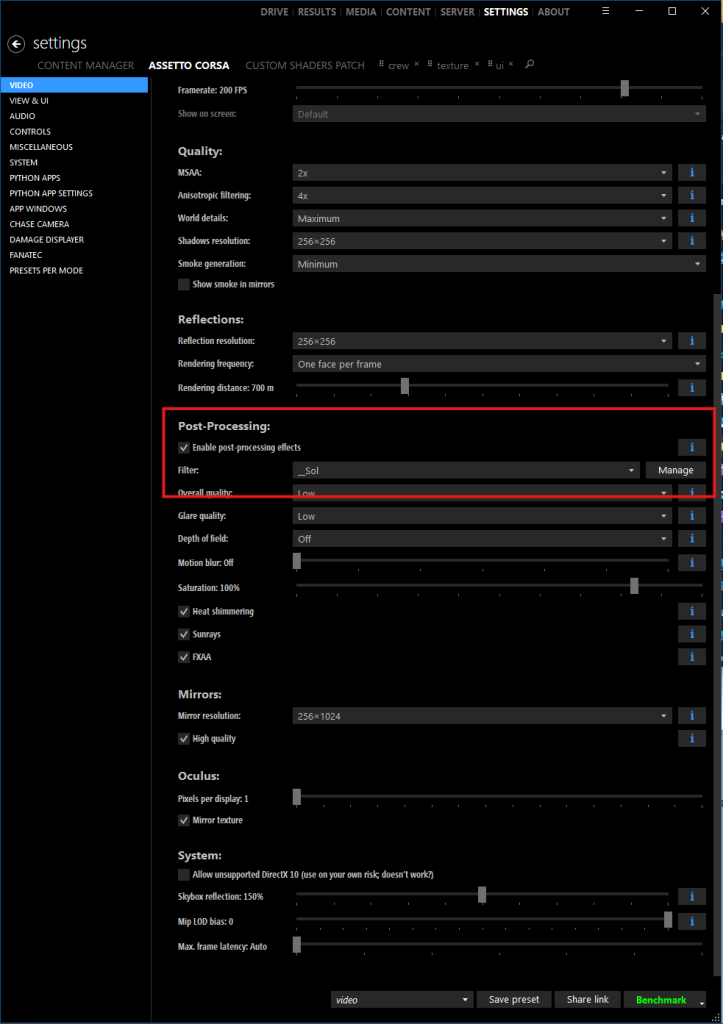
4.2 - A bunch of tweaks
To make things easier, I have posted my CSP preset here, but if you want to change things yourself, there are a few things you need to change.
Go to settings –> Custom Shader Patch –> About & Updates. And turn auto updates off.
Go to General Patch Settings, and under the audio heading, make sure “Use actual throttle value” is turned off.
Go to weather and make sure the weather style is set to Sol
5 - Cars
Cars are super simple to install, download the zip file below and drop and drag it into content manager. It will unzip it and add them to your car list. It should be 8.5GB in total. Make sure you overwrite all existing car data as there may be some differences between the 2025 and 2026 cars.
2026 ADGT Car pack v1.0
6 - Test Server
After you’ve done all this, you are ready to race, go to the server browser in content manager, wait for it to load, and search for “adgt”. The password is 1233 and it will check all the cars, CSP and SOL are installed properly.
7 - Patches
We will not be distributing tracks at the start of the year, but 1 week before the event. They will also auto install before joining a race with the “install missing” button. This will include the track, fixes to the cars (if needed) and any new liveries as more people join the championship through the year.
8 - TLDR
Here is a quick summary
- Purchase, Download and run Assetto Corsa Ultimate Edition when it’s on sale
- Download Content Manager and place it in the assettocorsa directory
- Download and install CSP
- Download, install and enable SOL
- Change the following settings:
- this
- that
- Turn off auto updates for CSP
- Download the Cars
- Make sure everything works on the test server
- Profit